
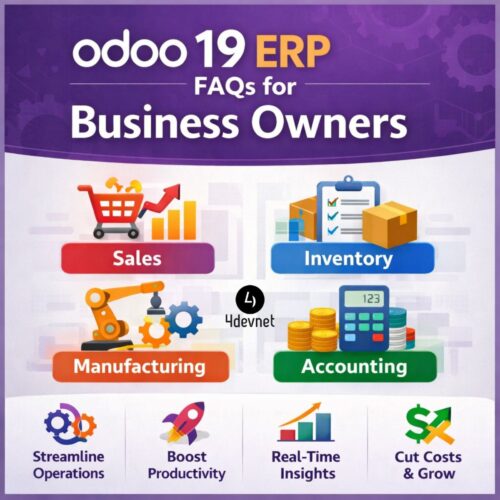
In today’s fast-paced business environment, efficiency, accuracy, and integration are more critical than ever. Companies often struggle with disconnected systems, manual processes, and data scattered across multiple platforms. This is where Odoo 19 ERP comes in—a comprehensive, all-in-one business management software that unifies operations, improves productivity, and provides real-time insights.
For business owners exploring ERP solutions, it is natural to have questions about features, implementation, costs, and ROI. This guide answers the most frequently asked questions about Odoo 19 ERP to help you make an informed decision.
1. What is Odoo 19 ERP and Why Should Business Owners Consider It?
Odoo 19 ERP is the latest version of Odoo, a powerful open-source ERP system that integrates all core business functions under a single platform. From sales, accounting, inventory, and manufacturing to HR, CRM, and e-commerce, Odoo 19 allows businesses to manage every department efficiently.
Key benefits for business owners:
- End-to-End Integration: All business processes are interconnected, eliminating data silos.
- Real-Time Reporting: Gain actionable insights into finances, sales, and operations.
- Automation of Repetitive Tasks: Reduce human error and save time with automated workflows.
- Scalability: Start with essential modules and expand as your business grows.
- Cost Efficiency: Streamline operations, reduce operational costs, and improve ROI.
2. Which Industries Can Benefit Most from Odoo 19 ERP?
Odoo 19 ERP is highly adaptable and ideal for businesses of all sizes and industries. Some of the most common sectors include:
- Manufacturing: Optimize production planning, inventory, and quality control.
- Retail & E-commerce: Manage online and offline sales, customer orders, and warehouses.
- Healthcare & Clinics: Handle patient records, billing, and compliance efficiently.
- Logistics & Supply Chain: Track shipments, inventory, and warehouse performance.
- Food & FMCG: Monitor production, batch tracking, and expiration dates.
- Construction & Real Estate: Manage projects, resources, and contracts in one place.
By centralizing operations, Odoo 19 ERP helps business owners reduce errors, improve efficiency, and boost profitability.
3. What Are the Key Features of Odoo 19 ERP?
Odoo 19 introduces enhanced functionality, modernized UI, and AI-powered automation. Here’s what makes it stand out:
- Modern User Interface: Clean, mobile-friendly, and easy to navigate for all users.
- Advanced Reporting & Dashboards: Visualize KPIs, revenue, and operational efficiency in real time.
- AI & Automation: Predictive analytics for sales forecasting, inventory optimization, and manufacturing planning.
- Integrated Accounting & Finance: Automate invoicing, payment follow-ups, and financial reporting.
- Customizable Modules: Tailor workflows, dashboards, and processes to meet business-specific needs.
- Multi-Language & Multi-Currency Support: Ideal for global businesses.
- Seamless Third-Party Integration: Connect with payment gateways, shipping providers, and other software tools.
4. How Much Does Odoo 19 ERP Cost for Businesses?
The cost of Odoo 19 ERP depends on your business size, number of users, and required modules. Odoo offers:
- Odoo Community (Free): Basic functionality suitable for small businesses and startups.
- Odoo Enterprise (Paid): Advanced features, premium support, hosting options, and better customization.
Factors affecting cost:
- Number of modules (Accounting, Sales, Manufacturing, HR, etc.)
- Number of users accessing the system
- Customization and development needs
- Hosting choice: Cloud (SaaS) or On-Premise
- Training and ongoing support
Investing in Odoo 19 ERP is not just a cost; it’s a long-term investment in operational efficiency, scalability, and growth.
5. Is Odoo 19 ERP Easy to Implement?
Yes, Odoo 19 is designed for smooth implementation, but a successful deployment requires planning:
- Requirement Analysis: Understand your business processes and goals.
- Module Selection: Choose modules that meet your core business needs.
- Customization & Configuration: Adjust workflows, dashboards, and reports.
- Team Training: Ensure your employees can efficiently use the system.
- Go-Live & Optimization: Start using Odoo ERP and refine processes for efficiency.
Tip: Partnering with a certified Odoo ERP consultant ensures a seamless implementation, faster adoption, and reduced disruptions.
6. Can Odoo 19 ERP Be Customized to My Business Needs?
Absolutely. Odoo 19 is highly flexible:
- Customize forms, fields, and workflows
- Build unique reports and dashboards
- Automate industry-specific tasks
- Integrate with third-party apps like Shopify, Magento, or payment gateways
Customization ensures that your ERP system grows with your business, providing a tailored solution rather than forcing your business to adapt to software limitations.
7. How Does Odoo 19 ERP Help Improve Business Decision-Making?
With Odoo 19 ERP, business owners can make faster, data-driven decisions:
- Real-Time Dashboards: Track KPIs across finance, sales, and operations.
- Predictive Analytics: Forecast demand, manage inventory, and optimize resources.
- Automated Alerts: Get notified for stock shortages, pending payments, or project deadlines.
- Centralized Data: Reduce errors from manual data entry and scattered information.
Businesses gain actionable insights that can reduce operational costs and enhance productivity.
8. Is Odoo 19 ERP Secure and Compliant?
Data security is a priority. Odoo 19 ensures:
- Role-based access control for sensitive data
- SSL encryption for secure cloud hosting
- Regular backups and disaster recovery options
- Compliance with GDPR and other global regulations
For business owners, this means confidence in managing financial, customer, and operational data without risk.
9. What Modules Are Most Useful for Business Owners?
Odoo 19 offers over 30 core modules, but some essential ones for business owners include:
- Sales & CRM: Track leads, sales orders, and customer interactions
- Accounting & Finance: Manage invoices, payments, and financial reports
- Inventory & Warehouse Management: Optimize stock, shipments, and deliveries
- Manufacturing (MRP): Plan production, track work orders, and maintain quality
- Project Management: Assign tasks, monitor progress, and manage resources
- HR & Payroll: Manage employee records, leave, and payroll efficiently
- E-commerce & Website Builder: Sell products online with integrated inventory and payment options
10. How Do I Get Started with Odoo 19 ERP?
Starting with Odoo 19 is straightforward:
- Assess Your Needs: Identify pain points and select relevant modules.
- Choose Deployment Type: Cloud-based for minimal IT overhead or on-premise for more control.
- Partner with Experts: Engage certified Odoo partners for setup, customization, and training.
- Pilot Phase: Test processes with selected departments before full rollout.
- Full Implementation & Continuous Improvement: Launch ERP across the business and monitor results.
Odoo 19 ERP’s modular approach allows businesses to start small, scale fast, and continually optimize operations.
11. Key Advantages of Odoo 19 ERP for Business Owners
- Centralized Operations: Manage all business functions from a single platform.
- Increased Productivity: Automate repetitive tasks and optimize workflows.
- Better Collaboration: Departments share real-time data, improving teamwork.
- Cost Savings: Reduce operational inefficiencies and improve ROI.
- Business Growth: Scalable and customizable for evolving business needs.
12. Final Thoughts
Implementing Odoo 19 ERP is more than a technology upgrade—it’s a strategic move for business growth. By integrating all core operations under one platform, business owners can streamline workflows, gain actionable insights, and make smarter decisions.
Whether you are a small business aiming for efficiency or a large enterprise seeking scalability, Odoo 19 ERP provides the tools to stay competitive and drive sustainable growth.
Ready to transform your business operations with Odoo 19 ERP? Partner with a certified Odoo consultant today to maximize your ROI and streamline your business processes.