
Introduction
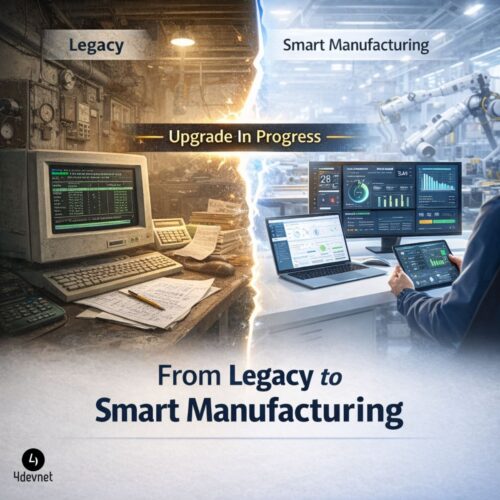
For decades, Visual FoxPro has supported core manufacturing operations such as inventory control, production tracking, order processing, and financial management. However, as manufacturing ecosystems evolve toward automation, data-driven decision-making, and system integration, legacy FoxPro applications are increasingly becoming a constraint rather than an asset.
Modern manufacturing demands:
- Real-time data visibility
- Seamless ERP and system integration
- Scalable and secure infrastructure
This guide provides a practical and strategic roadmap for manufacturing companies looking to upgrade their Visual FoxPro systems while minimizing risk and maximizing return on investment.
The Business Risks of Continuing with Visual FoxPro
1. Limited Integration Capabilities
Today’s manufacturing environments rely on interconnected systems such as ERP, CRM, supply chain platforms, and IoT-enabled machinery. Legacy FoxPro systems lack native compatibility with modern ecosystems built on frameworks like .NET, REST APIs, and cloud platforms.
Impact: Data silos, manual workarounds, and inefficiencies in operations.
2. Security and Compliance Gaps
Visual FoxPro no longer receives official updates or security patches. This creates vulnerabilities in handling:
- Financial transactions
- Vendor and customer data
- Operational records
Impact: Increased exposure to cyber risks and compliance issues.
3. Performance and Scalability Limitations
As manufacturing operations expand, legacy systems struggle with:
- High transaction volumes
- Concurrent users
- Large datasets
Impact: Slower processing, downtime risks, and reduced productivity.
4. Declining Talent Availability
The pool of skilled Visual FoxPro developers is shrinking rapidly, making system maintenance:
- Expensive
- Unpredictable
- Unsustainable
Key Challenges in Modernizing FoxPro Systems
Manufacturing companies often hesitate to upgrade due to:
- Fear of disrupting ongoing production
- Concerns about data integrity during migration
- Complexity of legacy code and business logic
- Dependency on existing workflows and reports
A well-structured modernization strategy is essential to overcome these challenges effectively.
Proven Strategies to Upgrade Visual FoxPro Systems
1. Application Reengineering to Modern Platforms
Rebuilding or migrating FoxPro applications to modern frameworks such as .NET enables:
- High performance and scalability
- Enhanced user experience (web/mobile)
- Long-term technology support
2. Database Modernization
Transitioning from FoxPro databases to enterprise-grade solutions like:
- Microsoft SQL Server
- PostgreSQL
- Cloud-native databases
Benefits include:
- Improved data integrity
- Advanced reporting and analytics
- Seamless integration with BI tools
3. Web and Cloud Enablement
Converting legacy desktop applications into:
- Web-based systems
- Cloud-hosted platforms
Advantages:
- Remote accessibility
- Centralized data management
- Reduced infrastructure dependency
4. API-Led Integration Approach
For organizations not ready for a full transformation, introducing an API layer can bridge FoxPro systems with modern applications.
Use Case: Gradual modernization without disrupting existing workflows.
5. ERP Implementation for Manufacturing
Many manufacturers opt to replace FoxPro entirely with modern ERP systems tailored to:
- Production planning
- Inventory control
- Procurement
- Financial management
This ensures a unified and scalable digital ecosystem.
Step-by-Step Modernization Roadmap
Step 1: Comprehensive System Assessment
- Audit existing FoxPro applications
- Identify dependencies, risks, and performance gaps
Step 2: Define Strategic Objectives
Align technology upgrade with business goals such as:
- Operational efficiency
- Automation
- Real-time reporting
Step 3: Select the Right Modernization Approach
Choose between:
- Migration
- Reengineering
- Replacement (ERP)
Step 4: Data Migration and Validation
- Clean and structure legacy data
- Ensure accuracy and consistency during migration
Step 5: Development and Parallel Testing
- Build the new system
- Run parallel operations to minimize risk
Step 6: Deployment and Workforce Training
- Implement phased rollout
- Train users for smooth adoption
Cost vs ROI: A Strategic Perspective
Investment Areas:
- Application redevelopment or migration
- Infrastructure (cloud/on-premise)
- Training and change management
Expected Returns:
- Improved operational efficiency
- Reduced manual effort
- Faster decision-making
- Lower long-term maintenance costs
Most manufacturing companies achieve measurable ROI within 12–24 months, depending on scale and complexity.
Measurable Business Outcomes
Organizations that modernize from FoxPro typically report:
- 30–50% improvement in operational efficiency
- Significant reduction in manual processes
- Enhanced data accuracy and reporting
- Real-time visibility across production and inventory
Choosing the Right Technology Partner
Modernizing a legacy system requires both technical expertise and domain understanding. The right partner should offer:
- Proven experience in legacy system modernization
- Strong knowledge of manufacturing workflows
- Expertise in ERP and custom application development
- Capability in modern technologies like .NET, APIs, and cloud
Why Manufacturing Companies Choose 4devnet
At 4devnet, we help manufacturing businesses transition from legacy systems to modern, scalable solutions.
Our capabilities include:
- Visual FoxPro migration and modernization
- Custom ERP development for manufacturing
- Scalable .NET-based application development
- Cloud integration and API development
- Data migration with zero-loss assurance
We serve clients across India, Australia, USA, UAE and many other countries delivering solutions aligned with industry-specific operational needs.
Conclusion
Continuing to rely on outdated technologies like Visual FoxPro can limit growth, increase risk, and reduce competitiveness in today’s manufacturing landscape.
A well-planned upgrade strategy enables:
- Greater efficiency
- Enhanced scalability
- Future-ready operations
Modernization is no longer optional—it is a strategic necessity.
Call to Action
If your manufacturing business is still operating on Visual FoxPro, now is the right time to act. Request a Free System Assessment
Identify risks, explore modernization options, and get a tailored roadmap for your business.