
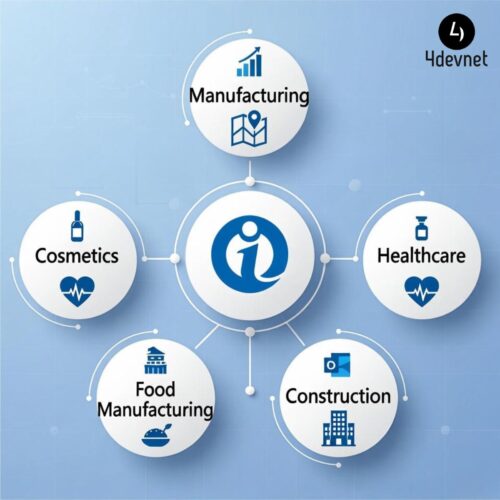
Power BI continues to maintain its position as a global leader in business intelligence, and 2026 marks a major shift in how organizations use data. With the rise of AI-driven insights, operational intelligence, automation, and real-time analytics, businesses across manufacturing, FMCG, healthcare, construction, food production, cosmetics, and retail are pushing Power BI beyond its native capabilities.
This is where Power BI add-ins and extensions become essential. They enhance the platform with advanced visuals, automation, predictive modeling, financial reporting, and industry-driven dashboards that align with modern enterprise demands.
Below is a fully expanded list of the most impactful Power BI add-ins for 2026, along with industry-specific use cases for better decision-making.
1. Power Automate Visual – Turning Insights Into Instant Action
In 2026, organizations expect more than analytics — they expect automated action. The Power Automate visual transforms dashboards into execution platforms.
Key Capabilities in 2026
- Auto-trigger approval workflows
- Escalate critical alerts instantly
- Start RPA bots from inside dashboards
- Update ERP, CRM, SharePoint, Dataverse records
- Handle complex multi-step automation
Industry-Specific Use Cases
- Manufacturing: Trigger maintenance workflows when machine KPIs fall below thresholds
- FMCG/Retail: Auto-reorder fast-moving stock items
- Healthcare: Notify departments when bed occupancy crosses limits
- Construction: Automate material request approvals
- Food Manufacturing: Trigger QC workflows for batch failures
- Cosmetics: Auto-update product batch traceability records
This add-in makes Power BI a closed-loop analytics engine, not just a reporting tool.
2. Smart Narrative Visual – AI-Powered Automated Insights
In 2026, Smart Narrative becomes a must-have tool for executive-level reporting, enabling instant summaries without manual interpretation.
What the Visual Provides
- AI-generated insights
- Growth and variance explanations
- Natural language summaries
- Context-aware commentary
Industry Use Cases
- Manufacturing: AI-generated OEE improvement insights
- FMCG/Retail: Automated sales performance summaries
- Healthcare: Patient volume changes explained
- Construction: Project delays summarized in plain language
- Cosmetics & Food Manufacturing: Demand shifts summarized for planning teams
Executives love Smart Narrative because it simplifies complex dashboards into readable stories.
3. Power BI Excel Add-In – Enterprise Data Consistency
The Excel Add-In continues to be crucial for industries that depend heavily on structured reporting and financial models.
Enterprise Advantages
- Access governed Power BI datasets inside Excel
- Real-time data refresh
- No CSV exports needed
- Eliminates versioning problems
Industries Benefiting Most
- Manufacturing finance teams (costing, forecasting)
- Retail demand planners
- Healthcare administration
- Construction finance teams managing cash flow
- Cosmetics and FMCG teams handling SKU-level forecasting
It enables uninterrupted collaboration between BI and finance teams.
4. Deneb Visual – The Most Advanced Custom Visual Engine
Deneb leads 2026 as the most flexible visual creation tool in the Power BI ecosystem.
Why Analysts Love Deneb
- Total control over chart design
- Vega/Vega-Lite customization
- Visuals not available anywhere else
Industry Applications
- Manufacturing: Custom downtime and cycle-time visuals
- Retail/FMCG: Shopper journey flow visuals
- Healthcare: Patient flow and care-path mapping
- Construction: Multi-project visual comparisons
- Food & Cosmetics: Batch yield vs. waste custom visuals
Deneb is perfect when standard visuals cannot represent complex workflows or KPIs.
5. Charticulator – Custom Visuals Without Coding
Charticulator empowers non-developers to design unique visuals while maintaining brand identity and industry relevance.
Strengths
- Drag-and-drop visual creation
- Exportable custom visuals
- Supports advanced visual layouts
Where It Adds Value
- Manufacturing dashboards: Visual layouts of production KPIs
- Retail: Shelf and merchandising visuals
- Healthcare: Patient route mapping
- Construction: Contractor-wise performance visuals
- Cosmetics/Food: Formula-level comparison graphics
This is ideal for companies wanting dashboards that stand out visually.
6. Zebra BI – Premium Financial & Operational Reporting
In 2026, Zebra BI remains unmatched for IBCS-compliant reporting.
Capabilities
- Variance analysis
- Forecasting
- Executive dashboards
- Advanced tables and charts
Industries That Benefit
- Manufacturing: Cost variance, material price trends
- Retail/FMCG: Sales vs. target reporting
- Healthcare: Department-wise budget utilization
- Construction: Financial status of multi-site projects
- Food & Cosmetics: Margin and SKU-performance analytics
It transforms Power BI into a true financial reporting powerhouse.
7. Synoptic Panel – Industry-Specific Spatial Analytics
Synoptic Panel remains the best add-in for custom image-based visual analytics.
What It Offers
- Interactive floor plans
- Machine-level monitoring
- Custom layout visuals
Industry Use Cases
- Manufacturing: Factory layout heatmaps
- Retail: Store planogram visibility
- Healthcare: Ward occupancy maps
- Construction: Site layout monitoring
- Food/Cosmetics: Production line visual tracking
This add-in helps organizations monitor physical spaces visually and intuitively.
8. R & Python Visuals – Powering Predictive & Prescriptive Analytics
With AI becoming mainstream, R and Python visuals integrate models directly inside Power BI.
Capabilities
- Predictive analytics
- Machine learning models
- Statistical analysis
- Clustering & segmentation
Industry Impact
- Manufacturing: Predictive maintenance
- FMCG/Retail: Demand forecasting
- Healthcare: Patient risk scoring
- Construction: Project delay prediction
- Food/Cosmetics: Quality prediction models
These visuals transform dashboards into intelligent decision systems.
9. Power KPI Matrix – Multi-Layer KPI Management
Perfect for leadership dashboards across industries.
Key Features
- Hierarchy-based KPIs
- Sparkline trend visuals
- Conditional formatting
- Drill-down capability
Industry Applications
- Manufacturing: Plant → Line → Machine KPIs
- Retail/FMCG: Region → Store → Category performance
- Healthcare: Hospital → Department → Doctor KPIs
- Construction: Portfolio → Project → Task KPIs
This visual supports structured performance management at scale.
10. Icon Map – Advanced Geospatial Analytics
Icon Map has become a must-have mapping tool for 2026.
What It Supports
- GeoJSON custom shapes
- Heatmaps
- Route mapping
- Multi-layer geography
Industry Relevance
- Retail/FMCG: Distribution zone analytics
- Healthcare: Territory performance
- Construction: Multi-site project locations
- Manufacturing: Supplier geospatial risk
- Food/Cosmetics: Route optimization for deliveries
It provides location intelligence with precision.
Conclusion: Power BI Add-Ins Are the Future of Industry-Specific Analytics in 2026
As businesses evolve in 2026, they need analytics that are fast, intelligent, visual, automated, and industry-ready. Power BI add-ins allow organizations to:
- Enhance operational transparency
- Improve decision-making speed
- Automate workflows
- Leverage predictive analytics
- Track KPIs with clarity
- Build industry-specific dashboards
- Integrate AI into everyday reporting
From manufacturing to retail, healthcare to construction, and FMCG to cosmetics — these Power BI extensions provide the flexibility and depth needed for next-generation analytics.